
Ulti-Mat Original mouse pad review
I recently purchased a mouse pad for myself, never feeling that I'd really need a mouse pad since I did just fine without one. At least that's what I thought. But recently I was convinced in an IRC discussion that I would indeed benefit from a nice mouse pad. Eventually, in a local LAN/DemoScene event called Assembly 2005, the table surface was so poor for my mouse that I was forced to make the purchase.
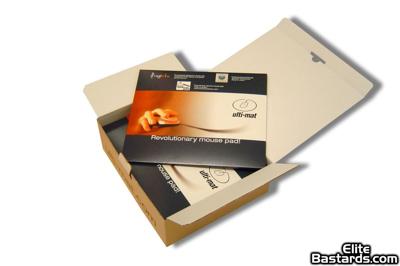
The box of the mouse pad. Click for full-size image
Above is a press image of the box for the mouse pad. I didn't think of making this kind of article at the time I opened my box but yeah, it looked just like that indeed. I didn't, of course, have a whole lot of them like you can see here, but you get the picture. It's not like you would spend your life 'Oohing' and 'Aahing' about mouse pad packaging but it's a nice box nevertheless. Shame I had to throw it away.
As for the mouse pad itself, there should theoretically be very little to talk about. It's just something that sits under the mouse. You can't benchmark it. It's pretty hard to compare to anything even, especially considering the fact that I have just this one mouse pad and then the option of removing it. I'm not going to do that though, as we will find out in this review.
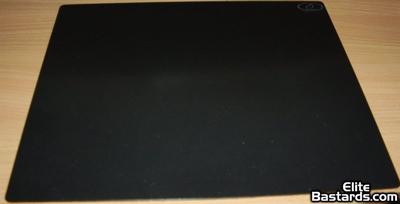
The Ulti-Mat Original mouse pad. Click for full-size image
So, here's the culprit itself. It's black, it's very 'mouse matty' and sits there, menacingly. As if waiting for something to happen. Oh. Right. I need to put a mouse on it!
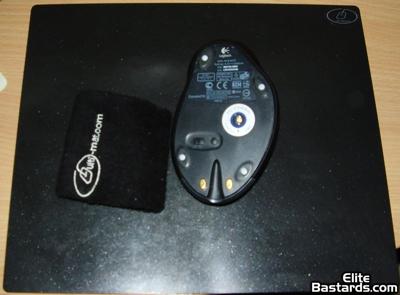
There! No wait... Click for full-size image
Now that's better. There's a mouse on top of the mouse pad! What? I got it all wrong? Yup. That's a Logitech MX 1000 Laser Mouse, but it's upside down! But what are those white blobs at its feet? And what is that black thing next to the mouse with some kind of logo on it?
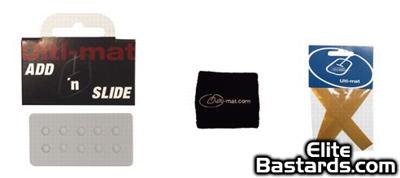
Some accessories... Click for full-size image
Above we have some accessories for the mouse pad. On the left there is a pack of Ulti-Mat Add 'n Slide. You're supposed to remove them from that package and place on the feet of your mouse. Their purpose is to reduce the friction between the mouse and the mouse pad. According to the Ulti-Mat sales people, the diameter of one Add n' Slide foot is 4mm (0.16inch). Next in line we have the Ulti-Mat wristband, which makes using the mouse pad a whole lot more comfortable. You see, the top of the mat is made of PTFE plastic (Teflon), which is not only very slippery but also kind of uncomfortable to ones wrist. Last, we have a set of Ulti-Mat mouse skate tape, which is an alternative to the Add'n Slide and can be used on a variety of surfaces.
The nudge test
The result of all the Teflon in the mouse pad and in the Add n' Slide is a very, very slippery mouse. At times you almost think its like a hovercraft on top of the pad. This can't be really shown any other way than with a video, so just click on the image below and you should be able to download a short, 180KB video clip where I gently nudge the mouse and let go... and it just slides almost out of the pad!
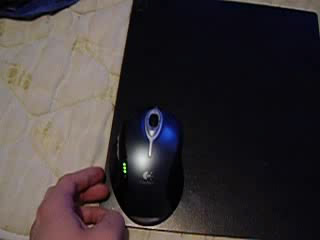
Click for video clip
The slipperiness can be a good thing, I kind of like fluid motion of the mouse, especially when using PhotoShop or playing Command & Conquer Generals. On the other hand, you have to learn to click again, because there's a slight recoil effect when clicking. Unless done just right, you're going to move the mouse slightly on the slippery surface when clicking. This can cause inaccuracy in Counter Strike or even difficulty double clicking properly on your desktop. But I was able to learn to live with that and actually clicking a bit differently to make that problem go away, and I don't even notice it anymore.
Conclusion
So there we have it, the most slippery mouse pad I have ever tried. And I like it! For me, there's no such thing as too fluent a mouse movement. For some others the suggested retail price of 35 euros might be too much. Mind you, the price comes to a grand total of 46 euros with the wrist band and Add 'n slide (the skate tape is included in the pad price of 35 euros). But then again, you've got to live with the movement of your mouse practically all the time when computing, so when looking for extra comfort is there really any reason to save pocket money there? Personally, I could not start my computer any more without my wristband, and a game of Generals would hardly be as satisfying on the crappy table surface or just a standard mat. I hate inaccuracy!
Is there some kind of an award I can give to this thing? It's bloody genius!
|